

VegasNow Casino Login: Account Access for Australian Players
The VegasNow casino login page is the single entry point to a player account. It connects the user to the balance, the cashier, active bonuses, game history and account settings. This page explains how the Vegas Now casino login works on desktop and mobile, what to do when access fails, and how to restore a lost password. All steps apply to players using the Vegas Now Australia login from any state or territory.
VegasNow Login Process
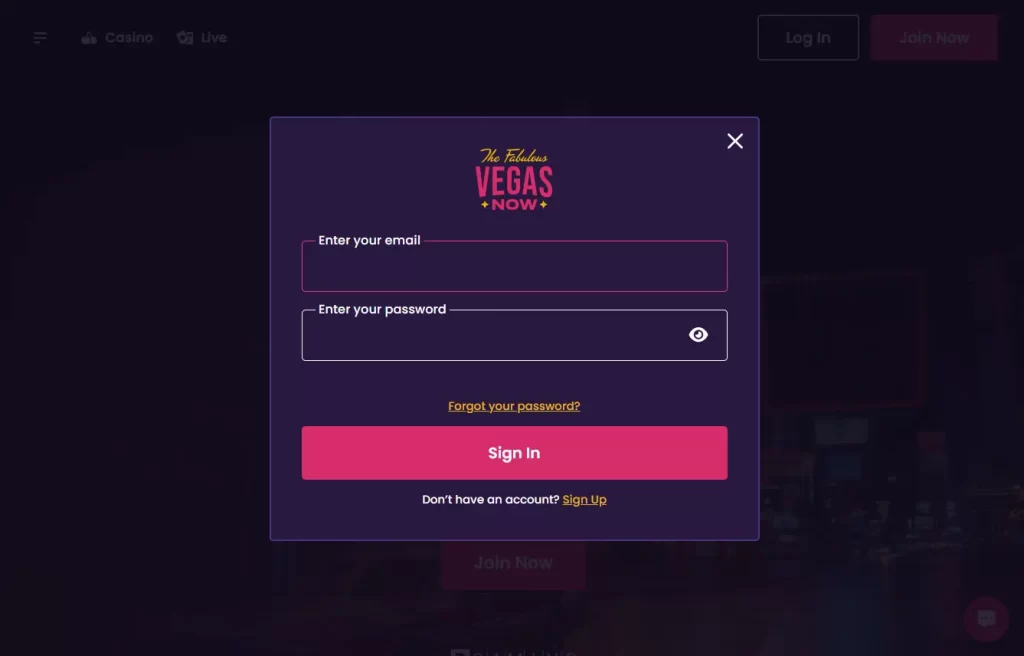
The VegasNow login runs in a browser and does not require additional software. A player needs two pieces of data: the email address used at registration and the account password. Accounts with an unconfirmed email address may be restricted, so the confirmation link sent after sign-up should be opened before the first login.
The sequence:
- Open the official VegasNow website in a browser. Check the address bar to confirm the domain before entering any data.
- Select the “Log In” button in the page header.
- Type the registered email address in the first field.
- Type the password in the second field. Passwords are case-sensitive.
- Pass the security check (code or captcha) if the system requests one.
- Confirm with “Sign In”. The system redirects to the account lobby.
After a successful Vegas Now login, the session remains active until the player logs out or the inactivity timer expires. Once the session closes, the credentials must be entered again.
Vegas Now Login on Mobile Devices: Phone and Tablet Access
The mobile version of the site uses the same account as the desktop version. No separate registration is needed. The interface scales to the screen size of iOS and Android devices, and the login form contains the same fields. A player who signed up on a computer can sign in on a phone with identical credentials.
To speed up repeat access on mobile:
- Open the site in Safari (iOS) or Chrome (Android) and complete the VegasNow login once.
- Allow the browser or device password manager to store the credentials. Face ID, Touch ID or fingerprint unlock can then fill them automatically.
- Add the VegasNow site to the home screen through the browser share or menu options. This creates a shortcut icon that opens the casino directly.
- Keep the browser and operating system updated. Outdated versions may fail to load the login form.
- Use a stable mobile data or Wi-Fi connection. An interrupted connection can stop the authentication request.
Account Security Measures After Vegas Now Casino Login
Access to the account means access to funds and personal data. Responsibility for protecting the credentials sits with the player as well as the operator. The VegasNow Casino site encrypts the connection, but weak passwords and shared devices remain the most common causes of unauthorised access.
Recommended measures:
- Set a password of at least 12 characters with upper- and lower-case letters, numbers and symbols. Do not reuse a password from another service.
- Activate two-factor authentication in the account settings if the option is available. A one-time code is then required at each sign-in.
- Log out manually after each session on a shared or public device.
- Avoid entering credentials over public Wi-Fi without a trusted connection.
- Do not share login details with other people, including anyone claiming to represent support. Staff do not request passwords.
- Check the account for unfamiliar activity. If any is found, change the password and contact support.
- Set deposit, loss or session limits in the responsible gambling section to keep play under control.
Troubleshooting VegasNow Com Casino Login Problems
Most failed sign-in attempts come from incorrect data, browser settings or temporary account blocks. The table lists frequent issues with the VegasNow com casino login and the steps to resolve them.
| Problem | Likely Cause | Solution |
|---|---|---|
| “Incorrect email or password” message | Typing error, Caps Lock active, wrong email | Re-enter data manually; check keyboard layout; use password reset if needed |
| Login form does not load | Cached files, browser extensions, outdated browser | Clear cache and cookies; disable ad blockers; update or switch browser |
| Account temporarily locked | Several failed attempts in a row | Wait before trying again or contact live chat to unlock |
| Two-factor code rejected | Expired code or device clock out of sync | Request a new code; enable automatic time settings on the device |
| Session ends unexpectedly | Inactivity timeout or login from another device | Sign in again; avoid parallel sessions |
| Access restricted message | VPN or proxy detected, location mismatch | Disable VPN and connect through the standard network |
| Account suspended or under review | Pending verification (KYC) or terms breach | Contact support and submit requested documents |
If none of the steps above restores access, contact the support team through live chat or email. Provide the registered email address and a description of the error. Do not send the password.
How to Recover a VegasNow Password?
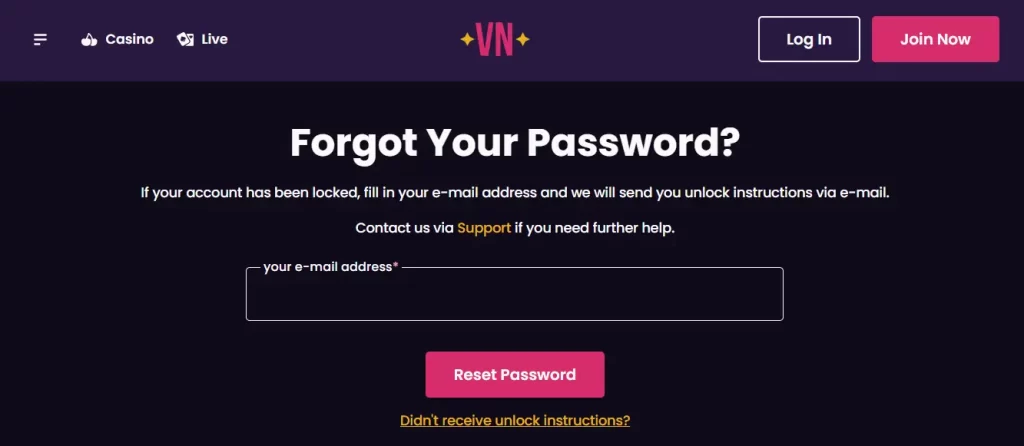
A forgotten password does not mean a lost account. The VegasNow casino login form includes a recovery function that sends a reset link to the registered email address. The link is valid for a limited time, so it should be used soon after it arrives.
Recovery steps:
- Open the login form and select “Forgot Password”.
- Enter the email address linked to the account.
- Submit the request and open the inbox. If the message is missing, check the spam and promotions folders.
- Follow the reset link from the email.
- Create a new password that differs from previous ones and meets the complexity rules.
- Return to the login page and sign in with the new password.
If the email address is no longer accessible, the reset link cannot be delivered. In this case, contact support. The team may request identity documents to confirm account ownership before updating the contact details.
VegasNow Login FAQ
Can I use one account on several devices?
Yes. The same credentials work on desktop, tablet and phone. Starting a new session on one device may end an active session on another.
Why is my Vegas Now Australia login blocked?
Common reasons include repeated wrong password entries, an active VPN, incomplete verification, or a self-exclusion set on the account. Support can confirm the specific reason.
Do I need to verify my identity to log in?
Login does not require documents. Verification (KYC) is usually requested before the first withdrawal or when the account is reviewed. Unverified accounts may have limited functions.
Is the Vegas Now casino login connection protected?
The login page uses an encrypted connection. Additional protection depends on the player: a unique password, two-factor authentication and logging out on shared devices.
What should I do if I did not receive the password reset email?
Check spam and promotions folders, confirm the email address was entered correctly, and wait a few minutes before sending a new request. If the message still does not arrive, contact support.
Can I change the email address used for the VegasNow login?
Contact details are usually changed through support after an identity check. This prevents unauthorised changes to the account.


