

Vegasnow Casino App for Gaming on Mobile in Canada
As time waits for nobody, there’s no reason for the fun to stop, either. Nevertheless, things have taken a turn for the better since the introduction of online casinos. Previously, before you could partake in any form of gambling, you had to pay a visit to a brick-and-mortar casino. But, as soon as the internet and computers were accessible to all, things changed. With either your desktop or laptop computer, you can play online. Nowadays, it has become even more convenient to gamble online because numerous operators now offer mobile versions of their sites that are available via your smartphones and tablets.
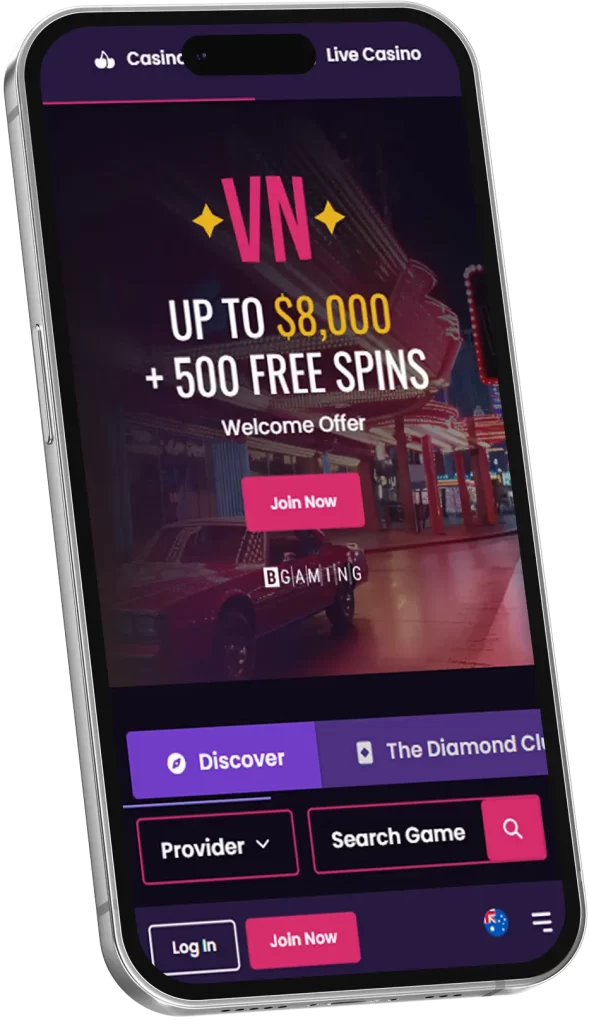
Features of the Vegasnow App
One quick thing you’ll notice as soon as you launch the Vegas Now app is that you won’t be required to download and install any software before you can access our services on mobile. This is because we chose to use the HTML5 markup language to develop a mobile-compatible version that makes it possible to function across platforms. With this approach, we help you conserve space and memory for other equally important applications on your device. In addition, the Vegasnow application provides an easy-to-use interface, top-notch security features, prompt customer service, and lots more.
Vegas Now App Download for Android Devices
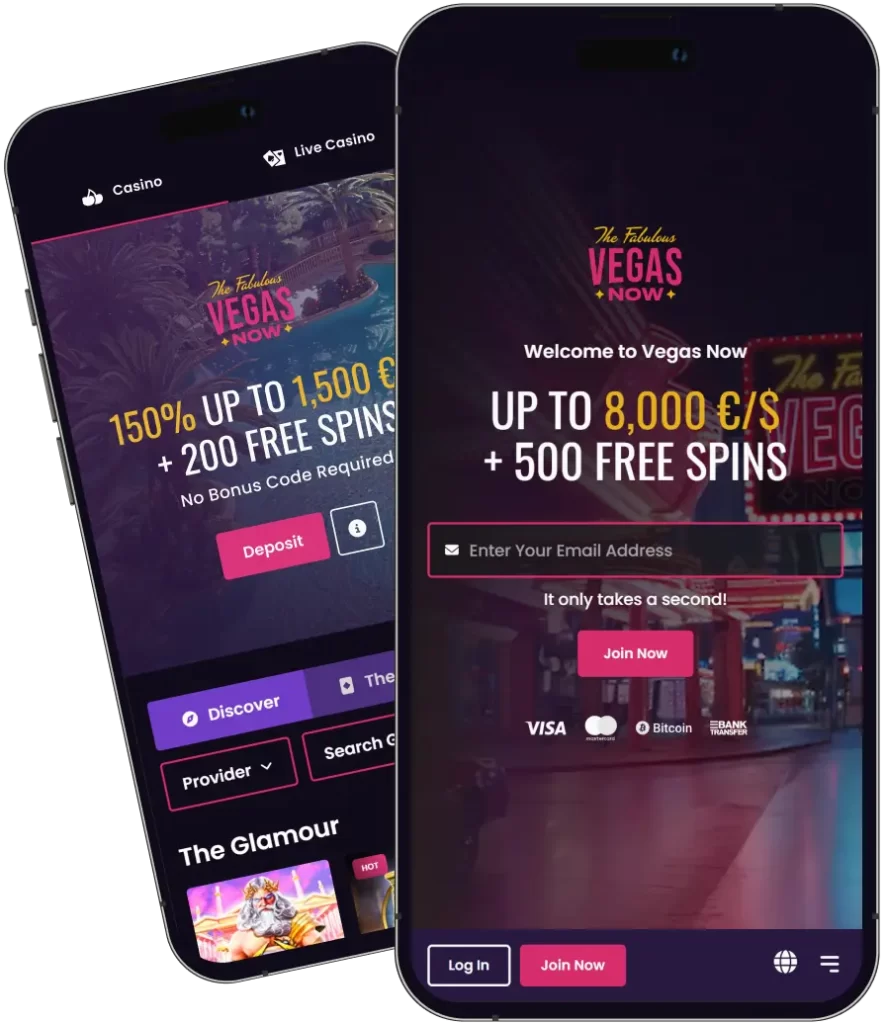
Vegas Now does not require a separate APK download for Android users in Canada. The casino runs as a progressive web app (PWA), which means the full site can be saved to the home screen and launched like a standard application. This method uses less storage than a native app, receives updates automatically through the browser, and avoids installing files from outside the Google Play Store.
Once added, the shortcut opens the casino in a dedicated window without the browser address bar. Account access, deposits, withdrawals, the game lobby, and customer support work the same as on the desktop version. Login details stay the same across all devices, so balances and bonus progress remain in sync. To add Vegas Now App to an Android home screen:
- Open a browser on your Android phone or tablet.
- Go to the official Vegas Now website by entering the address directly in the search bar.
- Tap the three-dot menu icon in the top-right corner of the browser.
- Select Add to Home screen or Install app, depending on your browser.
- Edit the shortcut name if needed, then tap Add to confirm.
- Find the Vegas Now icon on your home screen or in the app drawer.
- Open the icon and log in with your existing account, or register a new one.
Compatible Android Versions and Devices
The Vegas Now web app runs on most Android devices released in recent years. Since the platform loads through the browser, performance depends mainly on the browser version, available memory, and connection speed rather than on the phone model itself. Recommended specifications for stable performance:
- Operating system: Android 8.0 (Oreo) or newer
- Browser: Latest version of Google Chrome, Samsung Internet, or Firefox
- RAM: 2 GB minimum, 3 GB or more for live dealer games
- Free storage: Around 50 MB for browser cache and temporary files
- Internet connection: Stable 4G, 5G, or Wi-Fi; live dealer tables need a consistent connection
- Screen: Any resolution; the interface adjusts to both portrait and landscape modes
Devices that typically meet these requirements include Samsung Galaxy S and A series, Google Pixel, Oppo, Xiaomi, Motorola, and OnePlus models. Older phones running Android 7 or earlier may still load the site, but some games can run slower or fail to display correctly.
Vegasnow Casino App Download on iPhone and iPad
Apple users in Canada can access Vegas Now without searching the App Store. The casino is available as a web app that can be pinned to the iOS home screen through Safari. After setup, the icon opens the site in full-screen mode, similar to a native application. To add Vegas Now to an iOS home screen:
- Open Safari on your iPhone or iPad. Other browsers may not support this feature on older iOS versions.
- Enter the official Vegas Now website address in the search bar.
- Tap the Share icon (a square with an upward arrow) at the bottom of the screen on iPhone or at the top on iPad.
- Scroll down the menu and select Add to Home Screen.
- Rename the shortcut if required, then tap Add in the top-right corner.
- Locate the Vegas Now icon on your home screen.
- Launch the app and sign in or create an account.
Supported iOS Versions and Apple Devices
The VegasNow mobile app is optimised for Safari and runs on most current Apple devices. Older models may experience longer loading times, particularly in live casino sections that stream video in real time. Recommended specifications for stable performance:
- Operating system: iOS 14 or newer; iPadOS 14 or newer for tablets
- Browser: Safari (required for adding the icon on most iOS versions)
- Free storage: Around 50 MB for cache and site data
- Internet connection: Stable 4G, 5G, or Wi-Fi connection
- Screen: All iPhone and iPad screen sizes are supported, including notched and Dynamic Island displays
Compatible devices include iPhone 8 and later models, iPhone SE (2nd generation and newer), and iPad models from the 6th generation onward, along with iPad Air, iPad mini, and iPad Pro ranges that support iOS 14 or above. Keeping iOS updated helps maintain compatibility with new games and payment features.
Mobile Interface
What you’ll notice as soon as you launch our Vegasnow app on your mobile phone is the similarity with our desktop version. There are no differences as the presentation is the same, with minor changes. From our homepage, you’ll find both the “Log In” and “Join Now” tabs. Immediately you’re signed in, you’ll find the Casino and Live Casino sections at the top, followed by our welcome offer banner, search bar, and several other links to vital casino sections. This is then followed by thumbnails of some of our games that we’ve categorised into appropriate sections for easy identification.
Scrolling through, you’ll find several other links under the Games, Casino, Legal, and Support sections. Then, logos of some of our providers and payment methods follow. At the bottom of the Vegasnow Casino app are our copyright and licensing details, your account balance, the notification bell, the menu button, and our live chat toggle.
Account Registration and Deposit
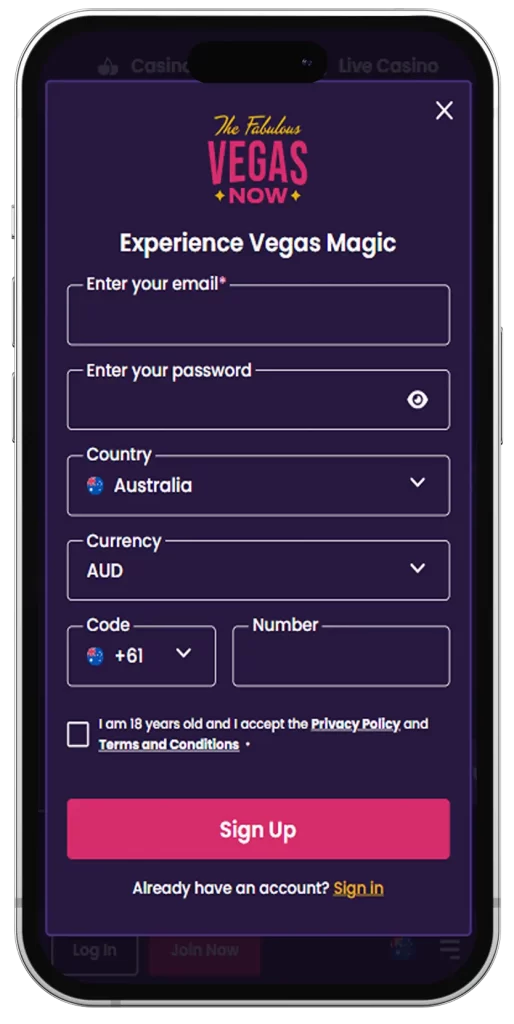
Before you can enjoy any form of gambling on Vegasnow APK, you have to be a registered member. Canadians will find out that the process of registering an account with us is straightforward and less demanding. You only need to press the “Join Now” button and provide us with basic information like your email address and mobile number and create a password to become a member.
Nevertheless, those who want to participate in real money gambling will then have to fund their accounts with cash. For this purpose, players from the Oz will be able to use several tested and trusted methods to deposit fiat and crypto into their accounts:
- From your Vegas Now app, navigate to our cashier section.
- Choose your preferred mode of payment and either copy the deposit address or enter your banking details.
- Enter the deposit amount and provide other necessary information.
- Hit the “Deposit” tab to complete the process.
Pros and Cons of VegasNow App
There are numerous benefits that accompany your choice to play via Vegas Now APK. That doesn’t also erase the fact that there are shortcomings to expect. In spite of that, the pros outweigh the cons, as you’ll see in the points below.
| Pros | Cons |
|---|---|
| Live casino titles are available on Vegasnow mobile | There’s no dedicated Vegasnow mobile app |
| Online chat support is present | Smaller icons that can be physically challenging to the visually impaired |
| Crypto payment is allowed | |
| Thousands of games are available |
VegasNow Mobile Casino Game Catalogue

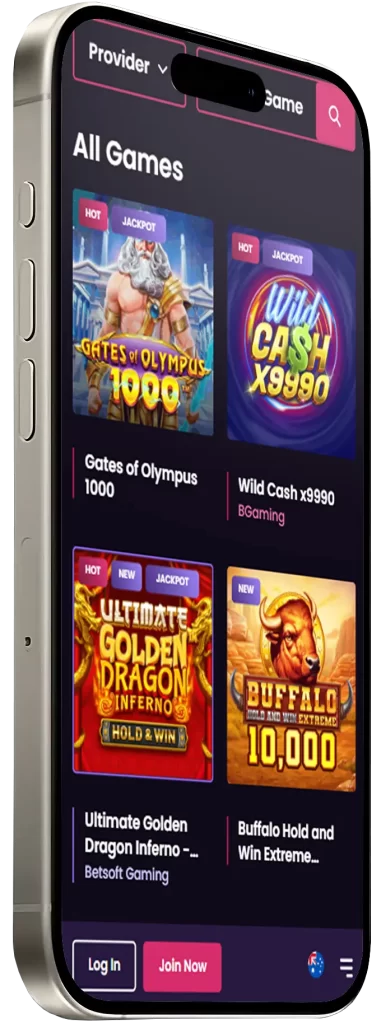
The Vegasnow mobile casino gives you the same lobby as the desktop site. It has more than 4,000 titles from studios including Pragmatic Play, Play’n GO and NetEnt. Pokies such as Starburst, Book of Dead and Gates of Olympus are built for touchscreens and keep their full graphics and features on displays from 5 inches. Return-to-player rates for most titles are 96% or higher, depending on the game and provider.
The live casino section has blackjack, roulette, baccarat and game shows, streamed in real time. Video quality adjusts to your connection, so a 4G signal is enough for live tables. Filters and the search bar work the same way as on desktop, so you can sort games by provider, category or new releases.
The sportsbook is also part of the mobile interface. Pre-match and in-play markets, odds and cash-out options are the same as on desktop.
Promotions for Vegasnow Mobile Casino
For Canadians who choose to register and play via their mobile devices, there are loads of bonuses to enjoy. Furthermore, when you compare the promotions that are available on our desktop site, you’ll discover that they all are also present on our mobile site. This means there is no discrimination between the two classes of players. Also, you should know, we don’t provide any special incentive for playing on Vegas Now mobile.
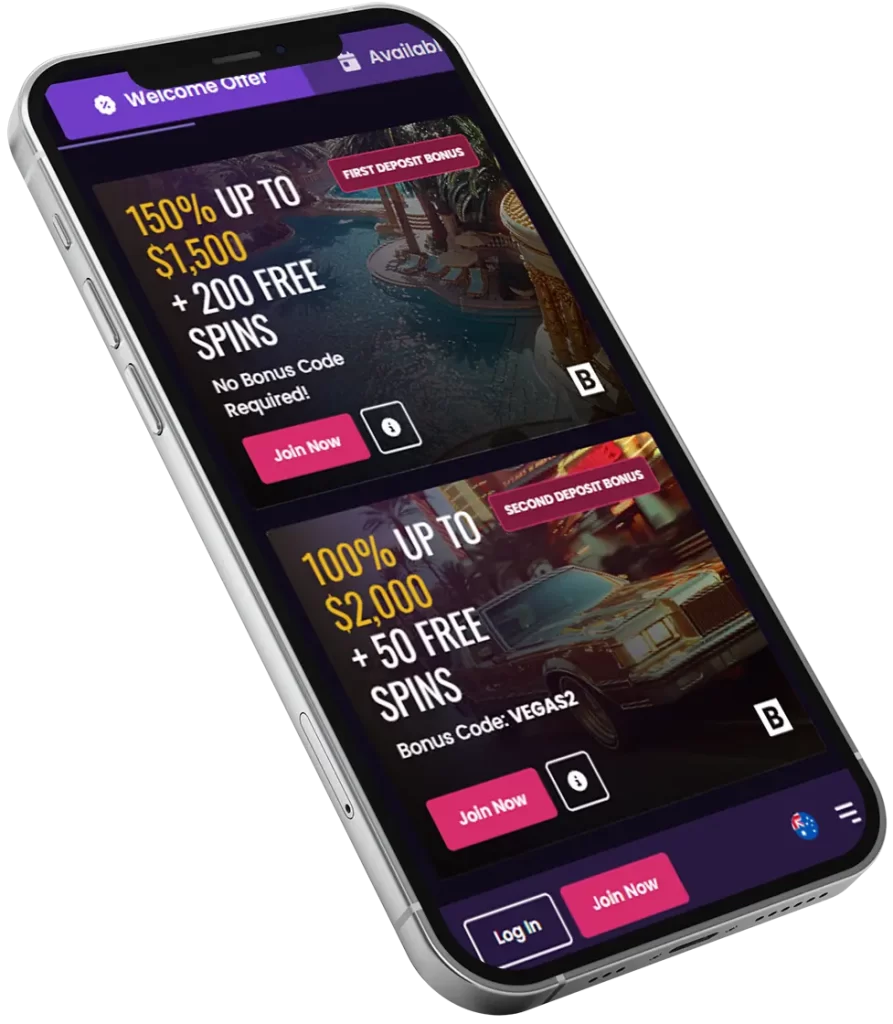
To begin, we have a welcome package that rewards our new members with up to CA$8,000 plus 500 free spins over their first four deposits. As long as you make the minimum required deposit and provide the correct bonus code, the offer is yours. Furthermore, there are several daily and monthly reload perks to enjoy on slots and live games when you log in and follow the rules on promotion days.
Users’ Data Protection
Choosing to participate in real money gambling online also requires that you share more than a fraction of your details with us. We know you might be sceptical about giving out this sensitive information; therefore, we’ve put in place the best internet security feature. When you play using the Vegasnow Casino application, we protect all your personal and financial details using the latest SSL encryption techniques. This encrypts all the information whenever it’s been transmitted over the internet so that it can’t be intercepted by unwanted third parties.
Additionally, mobile gadgets come with built-in security features that can allow you to better protect your account. By activating features like facial recognition, fingerprint scanner, PIN or pattern, and the rest, you’ll be able to protect your account from direct access. Nevertheless, the easiest way to access your Vegas Now mobile app account is through your email and password. Therefore, ensure that these details are only known to you.
Reasons to Choose the VegasNow Mobile App
The Vegasnow mobile app works in your mobile browser and can be saved to your home screen as a progressive web app (PWA). You don’t need to download anything from the App Store or Google Play. Desktop and mobile share one account, one balance and one bonus history.
- No installation. The site runs in any modern mobile browser and uses no storage on your device.
- Same features as desktop. Pokies, live tables, sports betting, the cashier and account settings are all available on mobile.
- Home screen access. On iPhone, tap Share in Safari and choose “Add to Home Screen.” On Android, open the Chrome menu and choose “Add to Home screen.”
- Bonuses work on mobile. The welcome package, deposit codes and Thursday reloads activate the same way as on desktop.
- Same payment options. Cards, e-wallets, crypto and bank transfers are available, with the same processing times on every device.
- Licensed and encrypted. The site is licensed and uses SSL encryption on every connection.
- 24/7 support. Live chat opens from the widget in the bottom corner of any page.
FAQ
Can I download the VegasNow app from an app store?
No. VegasNow does not have a native app for iOS or Android. The mobile casino runs in your browser and can be saved to your home screen as a shortcut that works like an app.
Is the mobile game selection smaller than on desktop?
No. The Vegasnow casino app has the same 4,000+ titles, live dealer tables and sportsbook as the desktop version.
Which devices are supported?
Any recent iPhone, iPad or Android device with an up-to-date browser can run the site. Older devices may need you to close background apps for stable performance.
Is my account data protected on mobile?
Yes. The mobile site uses the same SSL encryption and account security as desktop, under licence.


